Un mot nouveau à chaque regard.
Le widget Mot du jour moderne qui s'intègre harmonieusement à votre quotidien sur iPhone.
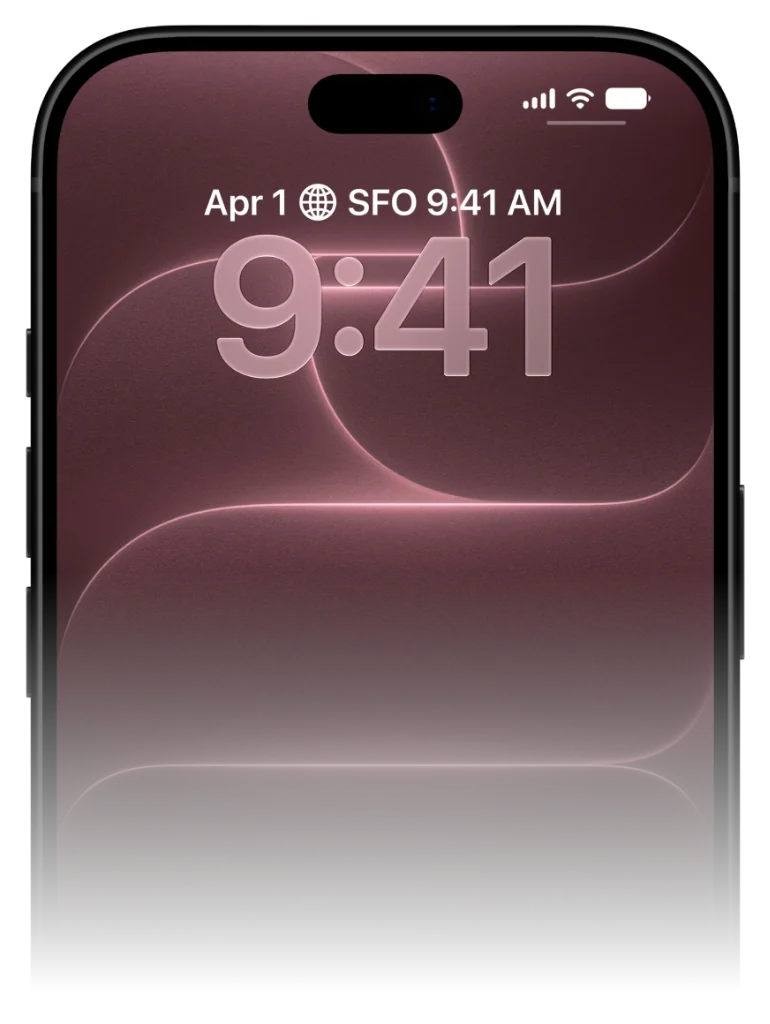
Oubliez les notifications que l'on ignore. VocabPin garde le mot du jour visible directement sur vos écrans pour une mémorisation sans effort.
Comment fonctionne VocabPin.
Pas de sessions de bachotage de 30 minutes. Pas de séries brisées. Juste une exposition naturelle là où vos yeux se posent déjà.
Choisissez votre langue & niveau
Apprenez entre 17 langues dans n'importe quelle combinaison mutuelle. Choisissez votre niveau CECRL précis du débutant A1 à B2/C1, JLPT ou HSK.
Prononciation humaine authentique
Prononciation studio 24 kHz enregistrée par de vrais locuteurs natifs. Touchez pour écouter l'intonation naturelle.
Épinglez et apprenez d'un regard
Placez des widgets élégants sur votre écran de verrouillage ou d'accueil. Déverrouillez plus de 80 fois par jour pour un renforcement passif sans effort.
Choisissez votre langue & niveau
Apprenez entre 17 langues dans n'importe quelle combinaison mutuelle. Choisissez votre niveau CECRL précis du débutant A1 à B2/C1, JLPT ou HSK.
Why traditional Word of the Day notifications fail
The notification trap and how ambient widgets solve it.
Traditional apps rely on push notifications. At 9:00 AM, your phone pings you with a word. But you're in a meeting, driving, or making breakfast. You swipe the banner away to clear your screen, promising yourself you'll look later. You never do.
VocabPin replaces intrusive notifications with ambient persistence. By placing the word of the day inside a native iOS widget, the word stays visibly present throughout your entire day.
Every glance at your clock or calendar naturally exposes your retina and subconscious mind to the word, creating between 60 to 100 effortless passive exposures every day.
The average iPhone user checks their screen over 80 times a day. VocabPin turns every single glance into a subconscious vocabulary rehearsal.
Configured for your exact CEFR or test level
Never too easy. Never overwhelmingly difficult.
A major frustration with generic Word of the Day apps is seeing words you already know, or seeing bizarre archaic terms you will never speak in real life.
With VocabPin, you select your exact level—from CEFR A1 (Beginner) up to C2 (Mastery), or standardized tests like JLPT (N5–N1) and HSK (1–6). Every daily word is calibrated to your current edge of comprehension.
Lock Screen and Home Screen in sync
Accessory Rectangular and System Medium widgets working in harmony.
Set an Accessory Rectangular widget on your Lock Screen for a quick, glanceable monochrome reminder.
Add a System Medium card on your Home Screen when you want richer typography, grammatical gender indicators, and full sentence context.
Configurez sur votre iPhone en moins de 30 secondes
Fonctionne nativement d'iOS 17 à iOS 27 sans configuration complexe.
Appuyez longuement sur l'écran
Touchez et maintenez votre écran verrouillé ou d'accueil jusqu'à l'apparition du bouton « Personnaliser ».
Sélectionnez VocabPin
Touchez la zone de widgets sous l'horloge ou le bouton « + » en haut, puis choisissez VocabPin.
Choisissez la langue et le niveau
Sélectionnez votre langue cible et la fréquence de rotation, puis touchez « OK ».
Langues prises en charge pour ce widget
Chaque langue inclut une typographie Apple authentique, l'audio natif et les niveaux CECRL/JLPT/HSK.
Foire aux questions
Guides approfondis & science
How to Set Up a Word of the Day Widget on iPhone
Everything you need to turn your iPhone into an ambient daily vocabulary builder. Learn how to pick the right CEFR level, configure refresh intervals, and pair with audio.
How Often Do iPhone Widgets Update? iOS Timeline Explained
Ever wondered why some iOS widgets freeze while others update smoothly? Dive into Apple's WidgetKit architecture, timeline budgets, and how VocabPin ensures reliable offline rotation.
Comment apprendre le vocabulaire de manière passive : la science de l'exposition ambiante
La psychologie cognitive derrière l'apprentissage passif. Pourquoi 80 micro-expositions quotidiennes sur iPhone surpassent 30 minutes de bachotage.